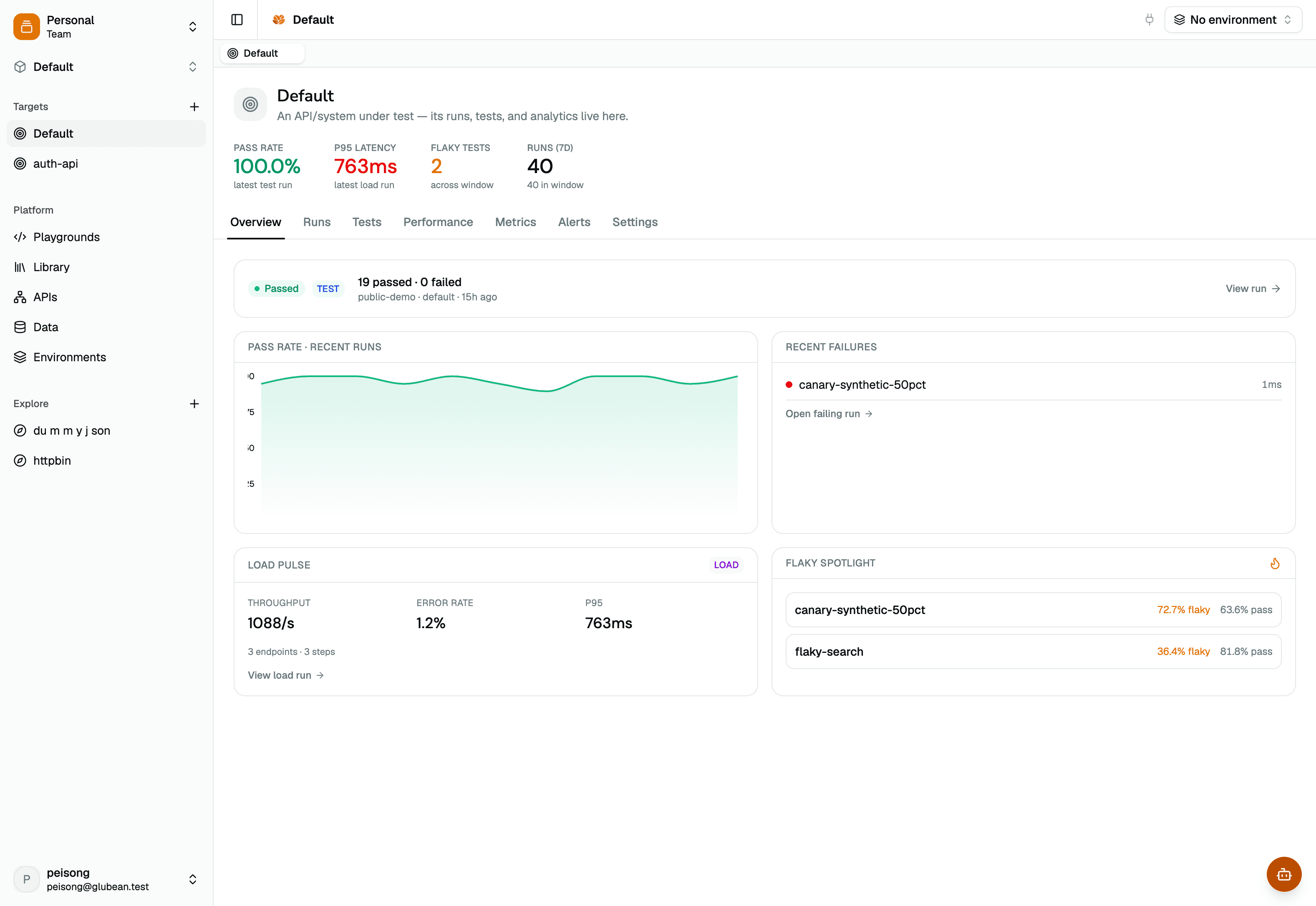
Write API tests in TypeScript — with assertions. Click play in the gutter. See every request and response right inside VS Code. Debug with breakpoints. Compare runs with diff. Version control, code review, and collaboration — all just work.
Free forever. No account. No cloud required. Just code.


Click ▶ to run — right in your editor
No account. No API key. Never leave VS Code.
Search glubean in VS Code Extensions, or view in Marketplace. One click install, zero config.
Using Cursor or another editor? Download the .vsix and install manually.
Then create a folder and scaffold your project:
$ mkdir my-api && cd my-api
$ glubean initCreate a .test.ts file — or let your AI write it. The SDK is typed and AI-friendly, so generated tests actually work on the first try.
import { test } from "jsr:@glubean/sdk";
test("list products", async (ctx) => {
const base = ctx.vars.require("BASE_URL");
const data = await ctx.http
.get(`${base}/products?limit=5`)
.json();
ctx.expect(data.products.length).toBe(5);
ctx.log(`Found ${data.total} products`);
});import { test } from "jsr:@glubean/sdk";
test("auth-flow")
.step("login", async ({ http, secrets, expect }) => {
const data = await http
.post("/auth/login", {
json: { username: secrets.require("USER"),
password: secrets.require("PASS") }
}).json();
expect(data.accessToken).toBeDefined();
return { token: data.accessToken };
})
.step("get profile", async ({ http, log }, { token }) => {
const me = await http
.get("/auth/me", {
headers: { Authorization: `Bearer ${token}` }
}).json();
log(`Hello ${me.firstName}`);
});import { test } from "jsr:@glubean/sdk";
test.each([
{ endpoint: "/users/1", status: 200 },
{ endpoint: "/users/999", status: 404 },
{ endpoint: "/products", status: 200 },
])("check-$endpoint", async ({ http, vars, expect, log }, { endpoint, status }) => {
const base = vars.require("BASE_URL");
const res = await http.get(`${base}${endpoint}`);
expect(res.status).toBe(status);
log(`${endpoint} → ${res.status}`);
});import { test } from "jsr:@glubean/sdk";test.pick({
"by-query": { query: { q: "phone" }, body: null },
"with-body": { query: null, body: { name: "Alice" } },
"both": { query: { org: "acme" }, body: { name: "Bob" } },
})("create-user-$_pick", async ({ http, vars, expect }, data) => {
const res = await http
.post(`${vars.require("BASE_URL")}/users`, {
json: data.body,
searchParams: data.query,
}).json();
expect( res.id).toBeDefined();
expect(res.firstName).toBe(data.body?.name);
});
// examples can be anything — query, body, headers, all combined
// SDK picks one at random; CodeLens lets you click to chooseimport { configure } from "jsr:@glubean/sdk";
export const { vars, http } = configure({
vars: {
baseUrl: "BASE_URL",
},
secrets: {
apiKey: "API_KEY",
},
http: {
prefixUrl: "BASE_URL",
headers: {
Authorization: "Bearer {{API_KEY}}",
},
},
});import { test } from "jsr:@glubean/sdk";
import { http } from "./configure.ts";
test("list products", async ({ expect }) => {
const data = await http.get("products?limit=5").json();
expect(data.products.length).toBe(5);
});
// configure() lives in one file, shared across every test.
// Tests read like intent, not infrastructure.// Verify API side effects directly in the database
import { test } from "@glubean/sdk";
import { Client } from "npm:pg";
export const orderTest = test("order-creates-db-record")
.setup(async ({ secrets }) => {
const db = new Client(secrets.require("DATABASE_URL"));
await db.connect();
return { db };
})
.step("Create order via API", async ({ http, expect }, { db }) => {
const res = await http.post("/orders", {
json: { item: "widget", qty: 3 },
});
expect(res.status).toBe(201);
return { db, orderId: (await res.json()).id };
})
.step("Verify in database", async ({ expect }, { db, orderId }) => {
const { rows } = await db.query(
"SELECT * FROM orders WHERE id = $1", [orderId]
);
expect(rows[0].item).toBe("widget");
expect(rows[0].qty).toBe(3);
})
.teardown(async (_ctx, { db }) => {
await db.end();
});// End-to-end webhook: local server + smee tunnel + poll
import { test } from "@glubean/sdk";
import SmeeClient from "npm:smee-client";
import { exists } from "jsr:@std/fs/exists";
const SMEE_URL = "https://smee.io/my-channel";
const HOOK_FILE = "/tmp/hooks/payload.json";
export const webhookTest = test("webhook-delivery")
.setup(async () => {
// 1. Local server — writes incoming webhook body to disk
const server = Deno.serve({ port: 0 }, async (req) => {
await Deno.writeTextFile(HOOK_FILE, await req.text());
return new Response("ok");
});
// 2. Smee tunnel — forwards public URL → localhost
const smee = new SmeeClient({
source: SMEE_URL,
target: `http://localhost:${server.addr.port}`,
});
const events = await smee.start();
return { server, events };
})
.step("Register webhook", async ({ http }) => {
await http.post("/webhooks", {
json: { url: SMEE_URL, event: "order.created" },
});
})
.step("Create order", async ({ http }) => {
await http.post("/orders", { json: { item: "widget" } });
})
.step("Poll for delivery", async ({ pollUntil, expect }) => {
await pollUntil({ timeoutMs: 15_000 }, () => exists(HOOK_FILE));
const payload = JSON.parse(await Deno.readTextFile(HOOK_FILE));
expect(payload.event).toBe("order.created");
})
.teardown(async (_ctx, { server, events }) => {
await events.close();
await server.shutdown();
});Full server-side runtime, not an HTTP sandbox. Connect to databases, spin up servers, verify file systems — anything Deno can do, your test can do.
Hit the ▶ button in the gutter. The trace opens automatically — full request, response, headers, timing. Debug with breakpoints. Compare runs with diff. From here on, it's just write → run → iterate.
No proprietary format. Organize API calls the way you organize code.
Project structure
my-api/
├── tests/ ← permanent
│ ├── auth.test.ts
│ └── products.test.ts
├── explore/ ← scratch pad
│ └── new-api.test.ts
├── context/ ← for AI
│ └── openapi.json
├── .env
├── .env.staging
└── deno.jsontests/ and explore/
Explore APIs in explore/. Promote to tests/ when solid. Same code, different lifecycle.
Files = modules
Each file holds related API calls — list, search, CRUD, auth flows — all in one place.
context/ for AI
Drop your OpenAPI spec here. AI agents read it and generate tests that match your API.
Real TypeScript
Variables, loops, conditionals, assertions — not a config file. Version control just works.
Open source. Works offline. No login, no telemetry.
Click ▶ next to any test in the gutter. Results stream into the Test Results panel in real time. Run one test, a file, or the entire workspace.
Every request/response pair in structured JSONC. Auto-opens after each run.
Set breakpoints in your API calls. Inspect variables. Step through code.
Compare responses with VS Code's native side-by-side diff viewer. See exactly what changed between two runs — headers, body, status codes.
One-click switch between .env files in the status bar. Secrets follow automatically.
Tests are TypeScript files. PR review, branch, merge — version control just works.
Glubean SDK is built so AI gets it right the first time — typed APIs, structured patterns, and built-in guardrails. Just ask your AI to write a test.
Start by exploring an API in the explore/ directory. Add assertions when you're ready. Move the file to tests/ — zero effort to promote an exploration into a permanent verification.
Let AI generate the data-driven variants. You review and promote.
Explore
explore/get.test.ts
Test
tests/get.test.ts
Automate
↓
Free forever
glubean run --ci
GitHub Actions, GitLab CI...
Coming soon
Glubean Cloud
Scheduled runs, dashboards
Scheduled verification runs, persistent history with structured traces, team dashboards, and safe secrets management. Same test files — executed and governed in the cloud.
No spam. We'll only email when Cloud launches.